

From the research desk
News & Events
Research notes from Zasio's attorneys and analysts, published case studies, webinar recordings, and company news: 373 pieces going back to 2015. Retention law changes; this is where we keep up.
Browse the archiveCase studies
The research desk, and one loyal reader of Zasio News.
289 research insights26 published case studies20 webinarsSince 2015

Insight · Aug 13, 2026 · 6 min
Records Retention Compliance: Fix Employee Attachment Styles
Records retention compliance depends on behavior, not policy alone. Learn how ghosting, clinging, and guilt-keeping create risk.

Insight · Jul 30, 2026 · 2 min
Chile Records Retention Requirements
Insight · Jul 27, 2026 · 1 min
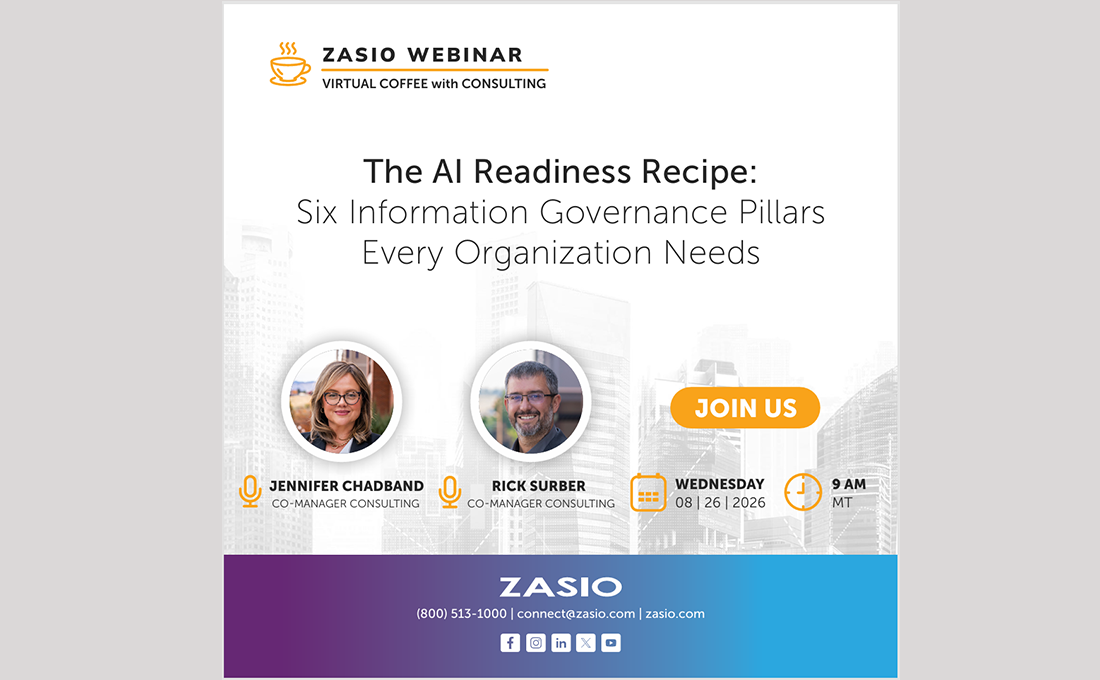
The AI Records Readiness: Six Information Governance Pillars
- Records Retention Compliance: Fix Employee Attachment Styles
- Chile Records Retention Requirements
- The AI Records Readiness: Six Information Governance Pillars
- Updating Retention Schedules Too Often: Organizational Risk
- AI Records Litigation: From Chatbot to Courtroom
- AI Data Traceability for Modern Records Management
- Mexico Records Retention Requirements
- Zasio Senior Analyst Michaela Adams Earns IGP Certification
- Government Records Management Case Study
- Building a RIM Program: The Essential 4-Pillar Framework
- Records Management and Retention in France: 2026 Overview
- Versatile 2026 Software Update: SaaS & On-Prem Coming Soon
- Presidential Records Act Suit: Records Management Compliance
- Zasio Analyst Earns AI Governance Professional Certification
- Zasio ARMA Nebraska: Insights on Data Management
- Automated Record Management: Building System-Ready Rules
- China Record Keeping: 2026 Compliance & Archival Guide
- Defensible Disposition Framework: 6 Steps to Record Deletion
- Zasio Unveils Versatile 2026 Records Management Software
- Retention Is Governance: Records Schedules as IGIM Backbone
- Government Records Management Software: ISHS Case Study
- Why Process-Driven Retention is Essential for Compliance
- Defensible Records Management: Lessons from a Trial Lawyer
- Managing AI Records: From Algorithms to Audit Trails
- Process-Driven Retention: The Future of Data Governance
- 5 Vital Benefits of Offsite Record Storage for Your Business
- Information Management Cybersecurity: Lessons from New York
- 2026 Records Management Trends: Expert Insights
- 6 Steps to High-Value Records Security: Framework & Strategy
- Zasio's 'Versatile' 2025: Innovation, Security, and Success
- Physical Records Management Case Study | Butler County
- RIM Change Psychology: Overcoming Employee Resistance
- Cloud Records Management: Sovereignty & Compliance Guide
- HR Records Retention Scheduling for Privacy Compliance
- Virtual Coffee with Consulting: Securing High-Value Records
- Beyond the One-Dimensional Retention Schedule
- IG Professional Stakeholder Management for Program Success
- How Does Versatile ERM Compare to Microsoft Purview™?
- Navigating New U.S. Health Data Laws
- Revamping Your RIM Program: Roadmap to Resilience
- Records Retention Risks in Messaging Apps
- Zasio Staff Selected to Present at ARMA InfoCon 2025 in Phoenix
- The Sound of Records: Managing Audio as Primary Record Type
- Colorado Privacy Act Amendment on Precise Geolocation Data
- AI in Records Management & Information Governance
- Master Data Retention: When Raw Data Becomes a Record
- The Day the Internet Archive Wayback Machine Saved My Credibility
- Common Pitfalls in Retention Schedule Refreshes and How to Avoid Them
- Southampton Municipalities Physical Records Management
- Records and Information Management with a Retention Schedule
- Build a Customized Records Retention Schedule That Works
- Unlocking the Future of RIM with AI: Survey Today’s Landscape to Revolutionize Your Program Tomorrow
- How AI is Transforming Records and Information Management
- How Long Should I Keep U.S. Tax & Accounting Records?
- Building a Smarter RIM Program: Structured Problem Solving
- When Data Becomes a Record: Tackling the Master Data Retention Question
- Contain and Eliminate: How Records Saved a Profession and How They Can Become a Liability
- Zasio Consulting Services Case Study: United Bank
- Zasio to Speak at ARMA International InfoNEXT
- How Zasio Delivers Industry Best Recordkeeping Research
- Kickstart Your 2025: Revamp Your RIM Program!
- Zasio Year in Review: Versatile 2025 Release Dominates Busy 2024
- Backup & Recovery for RIM Professionals: Essential Insights
- Does Dunder Mifflin Have an Approved Records Retention Schedule? RIM Portrayal in Hollywood is ... Interesting
- Versatile 2025 AI Records Management Software for Compliance
- Credentials for Advancing Your RIM Career
- Play Your Way to Records Management Compliance
- Sanctions: The Repercussions of Poor Recordkeeping
- FTC Goes After H&R Block for Not Retaining Consumer Data
- Virtual Coffee: Creating a Workable Email & Messenger Retention Strategy
- Recording: Move or Manage: Determining When Manage-in-Place Makes Sense
- RIMpocalypse: Reflections by a RIM Rookie
- Avoiding Health Data Retention Pitfalls: Learning from Recent FTC Actions
- Versatile 2023 SaaS with Retention Schedule Management Case Study: Wake County
- From Seed to Harvest: Cultivating Your Records Life Cycle
- On the Road: Zasio to Attend NAGARA Annual Conference in Atlanta
- Successful RIM Initiatives: Project & Change Management
- Developing RIM Program Executive Sponsorship Part 2: Landing an Executive Sponsor
- Versatile Enterprise™ Case Study: The City of Bellevue
- Tech Talks: Get to Know Versatile 2023 Better!
- Boost Your RIM Program: Identify Personal Information Risk
- Data Minimization is Good Information Governance
- CPR for Information Governance: The Convergence of Cybersecurity, Privacy, and Retention
- Zasio VP of Technology & Product Development to Present During ARMA Webinar Series
- Understanding President Biden's Executive Order on Sensitive Personal Data
- Developing Privacy as a Retention Schedule and Program Foundation
- Tired of Getting Triggered by Retention Event Triggers?
- Mastering Data Privacy: Best Practices in Cookie Management
- How Long to Keep Employee Records – Seems Like an Easy Question, Right?
- Anatomy of a Legal Citation: "Can’t You Just Google That?"
- Virtual Coffee with Consulting: Identifying and Breaking Down Privacy Requirements for Your Program
- Demo! Versatile 2023 Records Management Reveal
- Zasio Year in Review: All Hands-on Deck with Versatile 2023
- Versatile Enterprise™ Case Study: The City of Vaughan
- Tools of the Trade – What You Need to Manage Information Efficiently and Effectively
- Virtual Coffee with Consulting: A Guide to Key Privacy Law Updates in 2023
- Technology: Challenges for Records Managers
- Navigating Retention of Data Privacy Compliance Records
- Zasio to Exhibit at ARMA InfoCon in Detroit
- Making Every User a Records Manager: Strategies For Cultivating Compliance
- Dance With the One that Brought You: Developing a Successful Executive Sponsor
- Zasio to Present at NAGARA National Conference in Cincinnati, Ohio
- Closer Look: Saudi Arabia's New Comprehensive Personal Data Protection Law
- What is a Data Leak?
- Virtual Coffee with Consulting: Practical Strategies for Managing Electronic Records
- Paper: Scan It or Store It?
- More States Jump on the Privacy Bandwagon
- Digitizing Records Considerations for RIM Professionals
- Virtual Coffee with Consulting: Electronic Records Management
- Zasio Enterprises, Inc. Announces Versatile 2023
- Regulators Take Aim: Electronic Communications Recordkeeping
- Staying One Step Ahead of Cyber Criminals: NYDFS Updating Cybersecurity Regulation for 2023
- Managing Means Securing: Information Security for RIM Professionals
- Versatile Retention™ and Enterprise™ Case Study: Global Leader in Pharmaceutical Industry
- Retention Schedules vs Record Series: What's the Difference?
- Virtual Coffee with Consulting: What on Earth is Going on with ChatGPT and What Does it Have to do with IG?
- Outsourcing: What, When & How Much?
- Standby, RIM/IG Professionals: SOC 2 Applies to You, Too!
- Versatile Professional™ SaaS Case Study: The City of Encinitas
- Information Management and Security Integration
- Centralized vs. Decentralized Records Management: Which Approach is Best?
- Virtual Coffee with Consulting: Cybersecurity – The Mile-High View for Records and Information Management Professionals
- Zasio: A Look Back at a Busy 2022
- Recent Data Breaches Prompt Big Changes in Australian Privacy Penalties
- Data and Discovery: What You Don’t Know Can Hurt You
- California Strengthens Online Privacy Landscape with Child-Specific Legislation
- Digital Therapeutics And The Challenges They Pose For RIM Professionals
- Following the Cookie Trail
- Zasio Software Allows Users to Manage Retention Directly
- Update on the EU-U.S. Data Privacy Framework
- SEC: More than $1 billion in fines issued after companies fail to preserve electronic communications
- Zasio Represented at Health Sciences Records and Archives Association Conference in Manchester, England
- What is Privacy Anyway? A Brief Intro for RIM Professionals
- What the Heck is Privacy, Anyway? Some Foundations on Privacy Law in the U.S. - What the Heck is Privacy, Anyway? Some Foundations on Privacy Law in the U.S.
- November Virtual Coffee with Zasio Consulting - November Virtual Coffee with Zasio Consulting
- Legal Research and RIM – A Primer on Methodology
- American Data Privacy and Protection Act (ADPPA) Basics & Why It's Significant
- In Defense of Destruction
- California Privacy Rights Act (CPRA) Prep Workshop
- The IGP—A Master Class in a Lot More Than Information Governance (and Why You Should Become an IGP, Too)
- NAGARA Conference – July 13-16, 2022
- Connecticut Becomes the Fifth State to Enact Comprehensive Consumer Data Privacy Legislation
- Let’s Try This Again - Sending Personal Data Across the Pond under Privacy Shield 2.0
- Utah Becomes Newest State to Adopt Consumer Privacy Law
- Meet Our Team! Rick Surber, Licensed Attorney / Senior Consultant
- Poking Holes in Big Buckets — The Impacts of Data Privacy and Security on Simplified Retention Schedules - Poking Holes in Big Buckets — The Impacts of Data Privacy and Security on Simplified Retention Schedules
- Part 3: It's a Marathon, Not a Sprint – Successfully Implementing Your Simplified RRS
- Part 2: Keep it Simple, Duh. – Developing a Simplified RRS
- Part 1: One Size Doesn't Fit All – Customizing Your RRS Through Information Collection
- Trendsetting in California: Updated Record Retention Requirements for Employers
- Records and Information Management (RIM) Implications of Legal Holds and Litigation
- Zasio Successfully Achieves SOC 2, Type 2 Certification
- Duty to Be Ready – Management of Vital Records
- Meet Our Team! Heather Rice, Senior Research Analyst, Certified Paralegal
- Webinar | RIM Implications of Legal Holds
- When Disaster Strikes, Will Your Organization's Records be Safe?
- Let's Hit the Slopes: What to Know About Colorado's Personal Privacy Act
- Tis the Season... for a Data Breach
- Versatile Enterprise™ Case Study: The University of North Dakota
- How Nevada Doubled Down on Privacy Legislation
- Do Statutes of Limitations Make Good Retention Periods?
- Power to the PIPL? A Rundown of China's New Personal Information Protection Law
- Do You Ever Feel Like, Somebody’s Watching You? That’s Because They Are
- Webinar | Updated Retention Schedule, Now What
- RIM Program ISO Compliance & Cybersecurity Reporting
- Zasio Consulting Services and Versatile Retention™ Case Study: More Than a Vendor - Why Zasio is a Trusted Partner for this Global Pharmaceutical Company
- Versatile Professional™ Case Study: Air Van Moving and Transportation
- Privacy and Confidentiality — a Sound Investment for Any Business
- Demystifying IG Program Maturity: What it is and How Zasio Can Help
- Changes to the California Consumer Privacy Act of which Consumers Should be Aware
- Workflow Management Capabilities Coming to Zasio’s Popular Electronic Records Management Software
- Breaking It Down — Best Practices for Simplifying Your Retention Schedule - Breaking It Down — Best Practices for Simplifying Your Retention Schedule
- Is it a Myth? Or is it a Legendary Lesson?
- Recordkeeping Basics: Managing Your Accounting Records
- International Tax Record Retention Period by Country
- 2021 ARMA Information Governance Maturity Index Report - Sponsored by Zasio
- Spring Cleaning Your Records
- Webinar | Simplify Your Retention Schedule
- Everything I Know About Records and Information Management I Learned from a Parenting Book
- Connecting During COVID
- Versatile Enterprise™ Case Study: Dominion Energy
- Virginia's New CCPA-style Privacy Law: Powerhouse or Paper Tiger?
- Sanitize Everything From Your Hands to Your Personal Information
- Wait, Is That a COVID-19 Record?
- ZCares: Food, Funds, and Family - A Food and Fund Drive for the Idaho Foodbank
- Mitigating Privacy Risks Within Your Records Retention Schedule
- Get Your Records Retention Schedule Under Control — And Keep It That Way: A Case Study in Global Retention Scheduling
- US Privacy Laws & RIM — Recent Developments
- A Year in Review
- Get Your Records Retention Schedule Under Control - And Keep It That Way: A Case Study in Global Retention Scheduling
- New Changes to the European Union's Medical Device and In Vitro Diagnostic Device Regulations
- "You've Got Mail" — Issues. Management and Retention of Email
- ARMA Virtual Info Con 2020 – October 26-30, 2020
- Lessons Learned: Data Mapping Made Easier
- Practical Strategies for Electronic Records Management
- Implementing Privacy by Design
- Working from Home: Privacy, Security, and Information Management Tips for a Remote Workforce
- While Your Employees were Sheltering, Cyber Criminals were Attacking
- Researching and Analyzing Legal Records Retention Requirements
- Retention Schedules 101
- Race for a Vaccine: Recordkeeping Implications for Pharmaceutical Companies
- Versatile Enterprise™ Study: The University of Washington
- Retention Schedule Case Study: Ohio Universities
- Zasio Consulting Services Case Study: Southwest Gas Corporation
- Versatile Enterprise™ Case Study: Service Corporation International
- Versatile Enterprise™ Case Study: Utah Division of Archives and Records Service
- Versatile Enterprise™ Case Study: How a Global Leader in Oil Exploration and Production Streamlined Their Records and Information Governance Program
- Versatile Enterprise™ Case Study: Idaho State Historical Society
- Versatile Retention™ Case Study: Highmark Inc.
- Versatile Enterprise™ Case Study: The City of Kodiak
- How Denver Managed 7 Million Records with Versatile™
- Zasio Adds New Web Browser Interface to Leading Electronic Records Management Software
- Personal Data Transfers Post-Privacy Shield
- Artificial Intelligence: The Final Frontier in Records and Information Management
- Data Protection Legislative Updates
- What's in Your Privacy Data Policy?
- Policy into Practice — Strategies for Operationalizing Your Records Retention Schedule
- Information Governance Lunch and Learn - RESCHEDULED
- Alert: New 10-Year Retention Requirements in Brazil for AML Related Activities
- Document Management While Working Remotely
- Working from Home: Privacy, Security, and Information Management Tips for a Remote Workforce
- Russia’s Archives Order – 2020 Updates
- Using Records Management to Restart
- Pandemics and Personal Data
- Internet Service Providers Launch Litigation Against Maine's New Opt-In Privacy Law
- The State of Portable Barcode Readers in 2020
- How to Avoid the File Format Graveyard
- Managing Inactive Records
- ZCares: A Look into Zasio’s Culture of Caring and Service
- Reasons Management Should Invest in Information Governance — Judicial Discretion and Sanctions
- The Evolving Impact of Company-Owned Devices in Records Management
- Navigating Multiple Jurisdictional Requirements: Which Jurisdiction is Controlling for Retention Purposes?
- Quantum Supremacy: Rethink Encryption in Records and Information Management
- The Fall of the Berlin Wall and the Rise of Berlin Sanctions
- Molecular-Based Data Storage
- Instant Messaging in the Workplace and Mitigating Risks
- Z-Talks: Pre-Conference Education Sessions - October 20, 2019
- E-Discovery and the Importance of Having a Records Retention Program that Includes Electronic Records
- The Age of the Cyber Breach and the Value of Information Governance (IG)
- Proposed New York Privacy Act Breaks New Ground on Personal Data
- Archive Law, Is It Just Applicable to Governments?
- The Importance of Being Permanent
- Leveraging Google for More Effective Legal Research
- EU’s New Whistleblower Directive & Impacts on RIM
- EU’s New Copyright Law Will Drive Information Governance Investments
- Pharma Industry Records and Information Management In Brexit Limbo
- Common Records and Information Management Certifications, What do They Mean?
- Are Cloud Drives the Latest Dumping Ground?
- Tips to Prevent Hoarding of Documents
- "Just Scan It" - The Pros and Cons of Digitizing Paper Records
- Is Records Management Ready for Blockchain?
- EDPB Adopts Opinion on Interplay between the Clinical Trials Regulation and the General Data Protection Regulation
- ARMA InfoCon 2019 – October 21-23, 2019
- MER Conference - May 20-22, 2019
- ARMA Utah – Salt Lake City Chapter Spring Seminar – March 21, 2019
- A Look Ahead to 2019
- CNIL Fines Google, Company Vows Appeal: Clarity, or Confusion?
- Is Redundant, Obsolete and Hidden Data Putting your Organization at Risk?
- Integrating Versatile Retention™ with SharePoint
- A Year in Review
- Records Management vs. Document Management
- Records Managers and Archivists: Overlap and Distinctions
- How Do You Define the Role of a Records and Information Manager?
- Spooky Tales of Information Governance Noncompliance
- Pre-Employment Records Are Records Too
- Records Management in the Movies
- The Right Tool for the Job
- VR SaaS Global: Simplifying Information Governance
- The Records Manager's Utopia: A Single Source of Truth
- 5 Historical Tidbits that Inspired Modern Records Management
- Software Integrations in the World of InfoGov
- How Information Governance Brought Plain Language to the Forefront
- ARMA Live! 2018 – October 22-24, 2018
- Save Money, Increase Efficiency, and Reduce Risk with RIM
- California's New Privacy Act and Information Governance
- RFID: The Tech That'll Take the Ladders Out of the Records Center
- Retaining Genetic Records: Who Owns Your DNA?
- Zasio Gifts “Future Leaders in Information Management” Scholarship
- Zasio Offers Education Sessions Prior to 2018 ARMA Live! Conference
- Is the Big Bucket Retention Schedule Dead in the Age of Privacy?
- 4 Things to Consider When Looking at Software Customization
- The Z-Files: The Weight of Waterlogged Records
- What is SaaS? A Primer on a Not-So-New Technology
- Three Traps to Avoid When Reading Records Retention Laws
- It’s Tax Season Again: How Long Should I Keep Tax Records?
- Ask the Expert: Blockchain FAQ
- Blockchain for Information Governance: Vetting a Solution
- Zasio Enterprises Attends 2018 MER Conference, May 7-9
- Long-Term Thinking in the Age of Updates and Acquisitions
- Blockchain for Information Governance Part II: The IG Use Case
- Imports, Conversions, Migrations...Oh My! Data Migration 101
- Blockchain Technology and Information Governance (IG)
- Zasio Releases Versatile Retention as a SaaS Model
- Zasio's Director of Consulting Attends the 2018 Global Privacy Summit
- Improve Records Management Efficiency - Call Zasio Support
- 2017 Zasio Research Summary
- Data Breach Avoidance: Hard-Copy Files in a Digital World
- 5 Tips for a More Secure Password
- U.S. Employer Sued Over Employee Privacy Recordkeeping Violations
- Records Management Disaster Plan Development
- Zasio Enterprises is Celebrating Our 30th Year in Business
- Solving the Medical Records Puzzle: Identifying Retention Requirements
- Zasio Gifts Scholarship to San José State University School of Information
- Record Retention Period Woes - How to Properly Destroy Records
- Breaking Down Big Data: The Challenges of De-identification Standards
- Poor Records Management May Lead to OIG Exclusions
- De-identification Standards to Protect Personal Information
- A Day in the Life of a Zasio Software Support Specialist
- A Day in the Life of a Zasio Software Support Specialist
- Record Retention: How Do You Know How Long to Keep Your Records?
- GDPR Compliance Prep for US Companies
- Records Handling Laws: Format Requirements
- Zasio Attends the 2018 NAGARA Conference in Boise, ID
- The Impact of Personal Data on Records Management
- China Expands Reach of Data Localization Law to Multinationals
- Inside Consulting: Managing Your Retention Schedules
- Zasio Attends the MER Conference In Chicago-May 8-10, 2017
- Managing Government Records Directive Breakdown
- France’s Digital Republic Act Strengthens Privacy Safeguards
- Zasio Attends the ARMA Houston Chapter Conference - April 25-26, 2017
- Zasio Enterprises Recognized as a Patriotic Employer
- AIIM On Air Featuring Zasio's own Warren Bean, Systems Engineer
- Bringing the Cloud Down to Earth: Data Protection On the Cloud
- Using Outlook 365? We Have Your Email Retention Needs Covered
- 2016 Zasio Research Summary- Citation and Research Update
- Avoiding the Ethical Perils and Pitfalls of Big Data
- Zasio Attends the AIIM Conference in Orlando - March 14-16, 2017
- Data Breach Living Wills: Information Theft Response and Recovery Plans
- Upcoming Changes in International Data Retention Policies
- Why Should I Invest in a Support Plan?
- Identifying Personally Identifiable Information
- Biometric Authentication and Considerations for Information Professionals
- The Implications of Information Management Regulation
- Going Digital: Considerations for Planning Data Conversion Initiatives
- Zasio Joins the Information Governance Initiative
- Redundant, Obsolete, or Trivial information Introduction & Prevention Tips
- New eDiscovery Horizons: Employee Personal Devices
- Managing Legacy Data through the Migration Process
- DNA-Based Storage: The Future of Data Archiving?
- Designing the Modern Records Management Solution
- Zasio Announces Significant Growth and Expansion in First Half of 2016
- Brexit Implications for Records Management
- Zasio Attends the 2016 Annual NAGARA Conference
- EU-US Privacy Shield Introduction and Current Status
- Taming the Unstructured Data Beast with Object-Based Storage
- Electronic Signatures and Digital Signatures. What’s the Difference?
- Laying the Proper Foundation for Master Data Management
- How Long Should You Keep Non-Hire Resumes or Related Records?
- The Panama Papers: Avoiding the Headlines
- New Technology, Old Problems: Potential Pitfalls with Cloud Storage
- A Security Reminder for the Traveling Employee – Encryption Woes
- Dawning Digital Dark Age: Retaining Data Rich Information
- Keeping tax records: Is 3 years enough?
- What does a Permanent Retention Period Really Mean?
- Tips to prepare for the EU's Financial Instruments Directive
- iPhone Encryption Debate Underlines Importance of Security Measures
- Preventing Headlines with Information Governance: Social Media Usage
- Anonymization and Compelled Destruction Requirements for Companies
- Applying Predictive Analytics to Information Governance
- ARMA Great Northwest Region Education Conference - April 25-27, 2016
- ARMA International Conference & Expo - September 25-27, 2016
- Zasio Attends 2016 MER Conference - May 23 - 25
- Zasio Attends the 2016 AIIM Conference - April 26-28
- Zasio Attends the 2016 ARMA Houston Spring Conference - April 19-2
- Zasio Attends the 2016 ARMA Metro NYC Annual Spring Conference
- Understanding the Risk and Costs of Unmitigated Data
- Is Your Records Management Program Focused on Retention Periods?
- Mitigating the expense of E-discovery: Back-ups and Archived Data
- Managing Risks: Wearable Technology in the Workplace
- Culture v. Behavior: Business Communications in the Modern Era
- Requiring a Leap of Faith Will Sink Defensible Destruction
- How Are You Managing Your Email?